


Uptrends.ai: Designing a stock monitoring and alerts platform
I designed the product experience for Uptrends.ai, building on an early MVP to bring stock discovery, sentiment analysis, and customizable alerts into one platform.
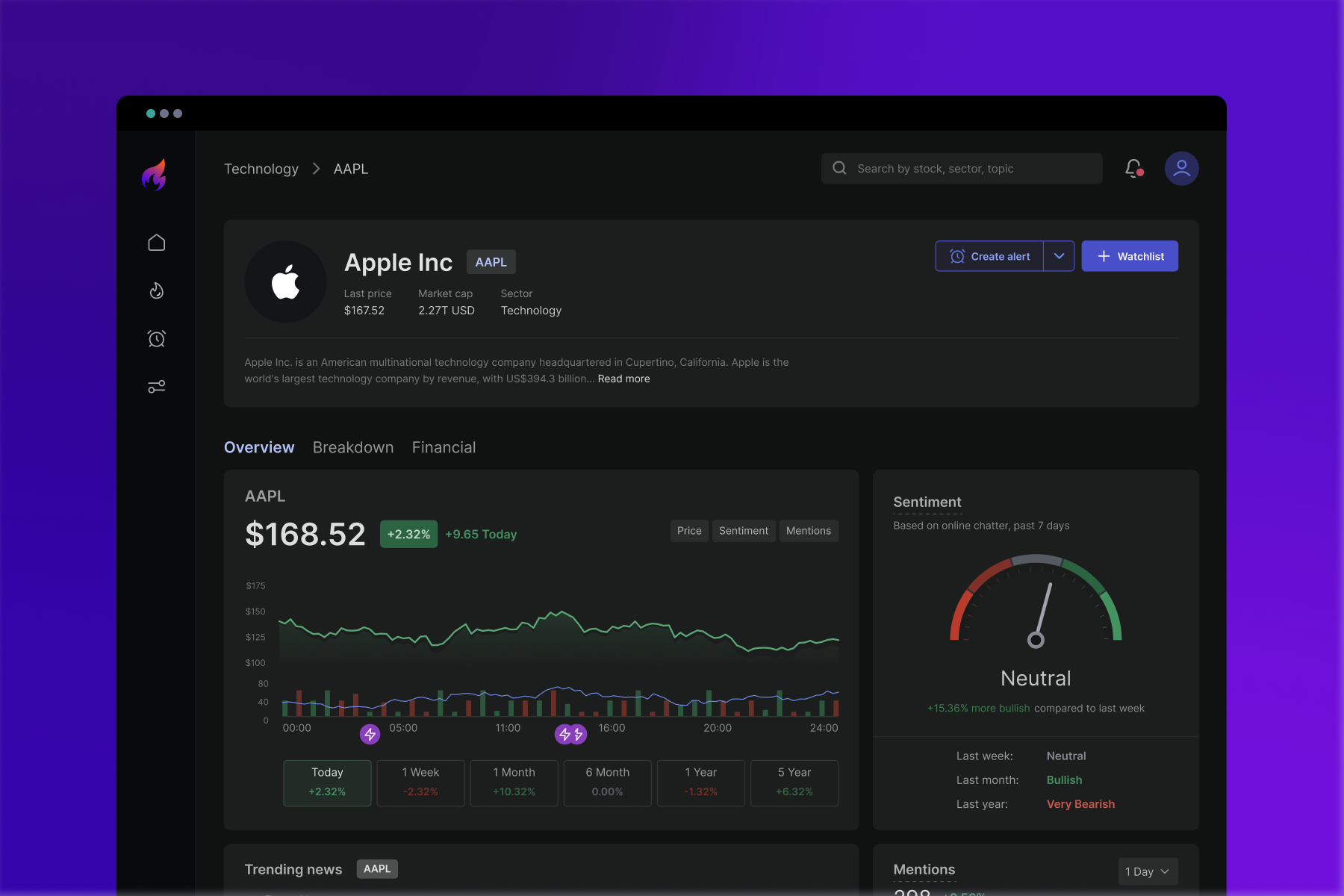
Project snapshot
| Role | Product Designer |
|---|---|
| Scope | Research synthesis, UX/UI, design system, Webflow website |
| Team |  Mohammad Adineh  Ramsey Shafer |
| Timeline | 3 months · 2023 |
| Starting point | Basic MVP |
Starting point
Uptrends.ai helps traders follow market news and understand sentiment around stocks. When I joined, the team had a basic MVP without alerts.
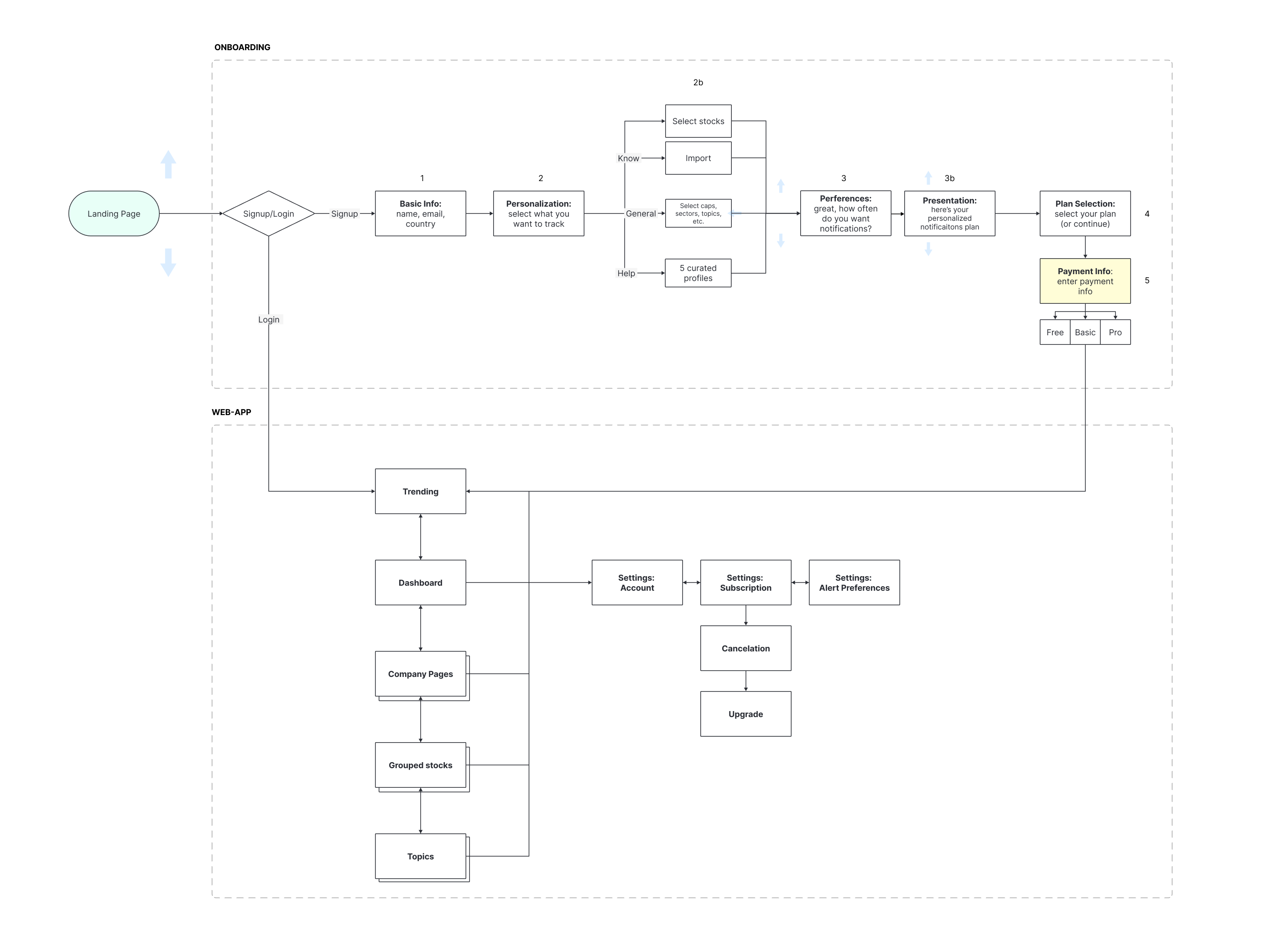
My work covered the product experience, from onboarding and stock discovery to company analysis and alert management. I also created a component library in Figma and built the marketing website in Webflow.
The main challenge was helping traders identify relevant changes without constantly checking the platform.
Understanding what traders needed
The founding team had already conducted interviews. I reviewed their recordings and notes, then synthesized the findings into priorities for the design.
Three findings shaped the experience:
- Short-term traders had the clearest need for timely monitoring and alerts.
- Sentiment alone was not enough. Traders wanted supporting information before deciding what to investigate.
- Managing alerts across a large watchlist needed to be straightforward.
These findings helped focus the product around two main activities: understanding market activity and staying informed about relevant changes.
Bringing the product together
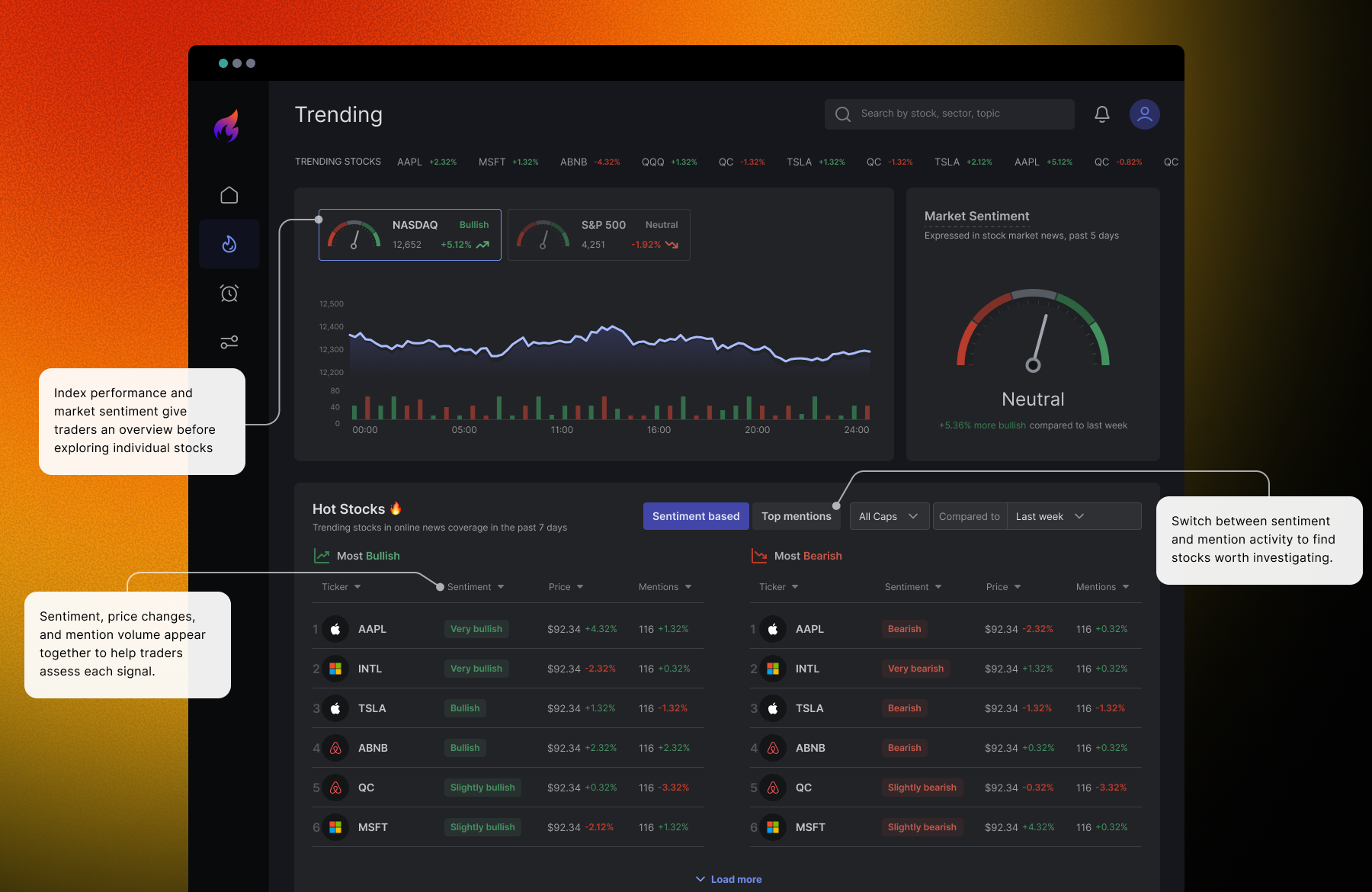
Finding stocks worth investigating
I designed the discovery experience around trending stocks, mentions, and sentiment. This gave traders different ways to explore market activity and choose which companies to investigate further.
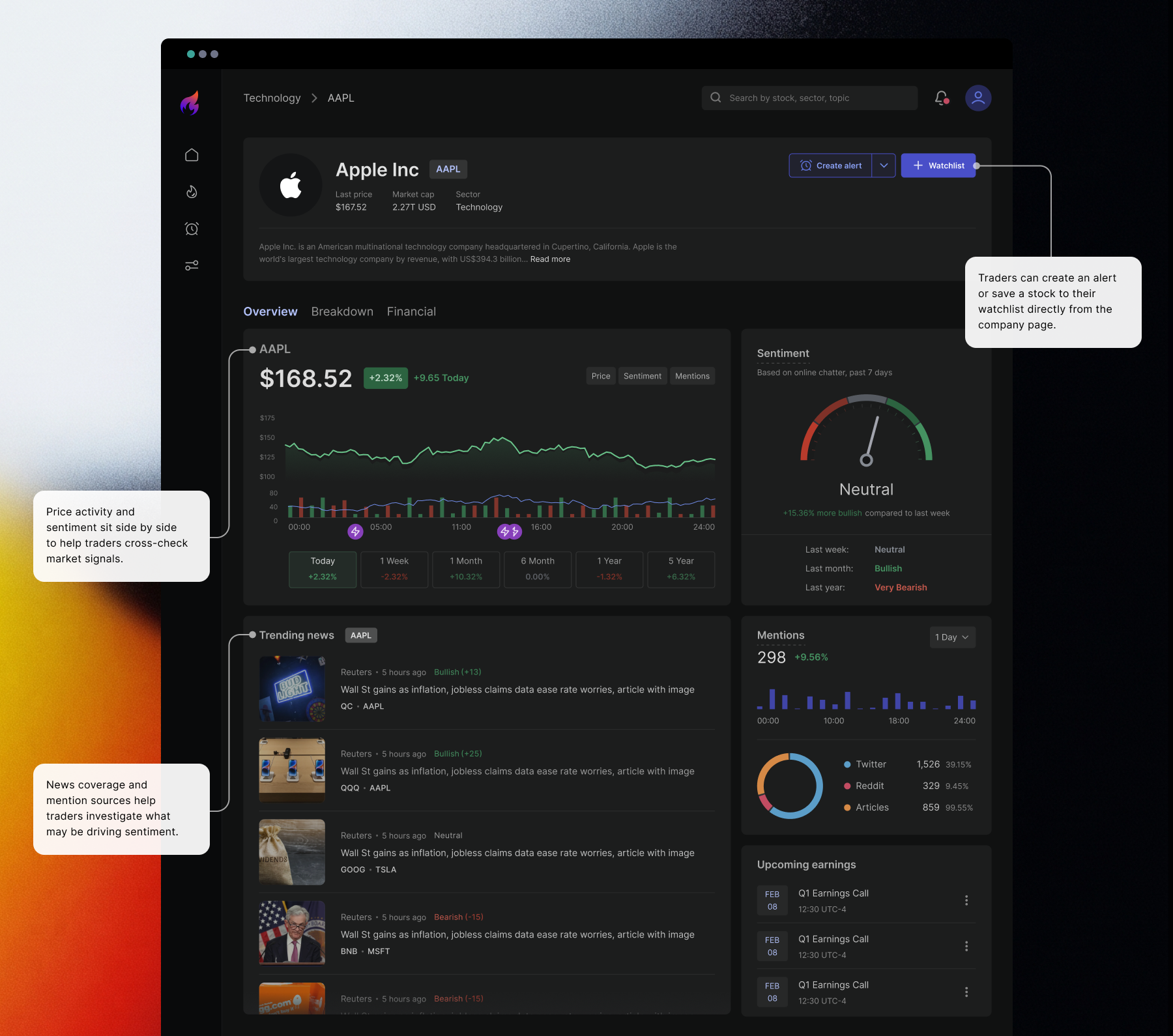
Putting sentiment in context
On the company page, I brought sentiment, price activity, and mention volume together. The aim was to help traders cross-check a signal before deciding what deserved their attention.
Monitoring stocks through alerts
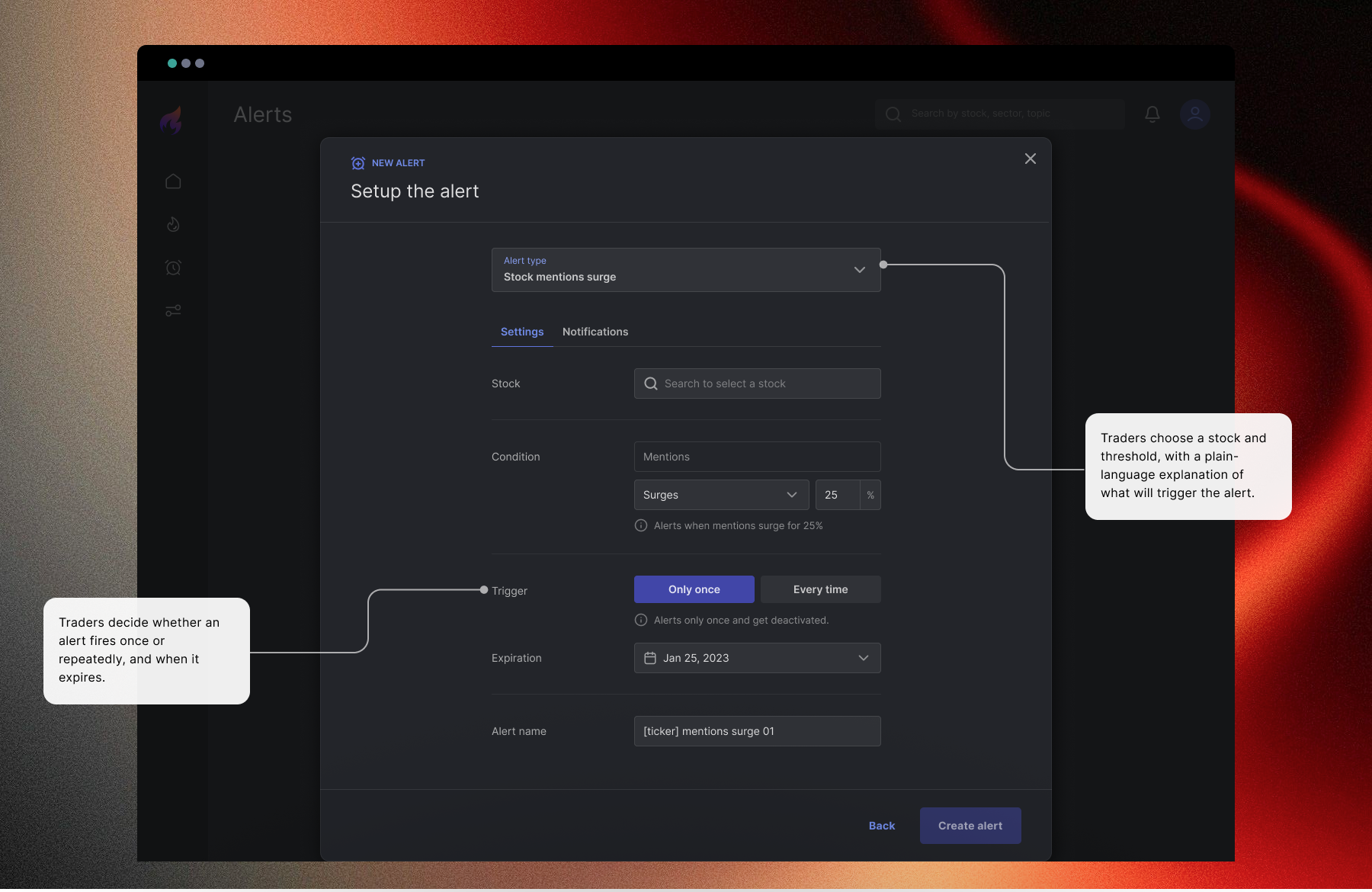
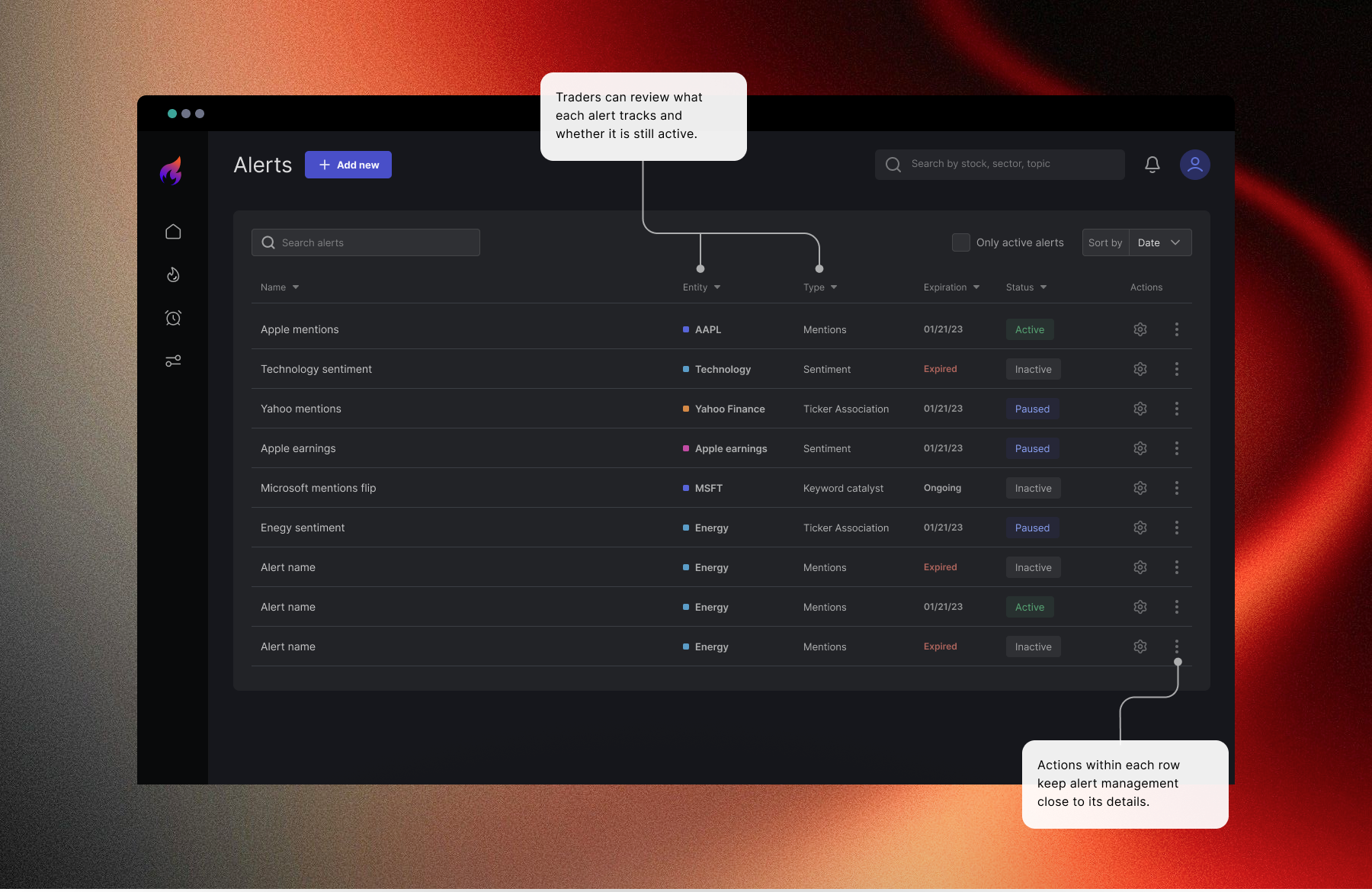
The original MVP had no alerts. I designed alert creation and management so traders could choose which changes to follow across stocks, sectors, and topics.
The design also addressed larger watchlists through bulk controls and an estimated alert frequency, intended to help users understand how much notification activity their settings could generate.
Simplifying alert setup after feedback
Feedback on the initial prototype showed that the advanced alert setup was difficult to navigate.
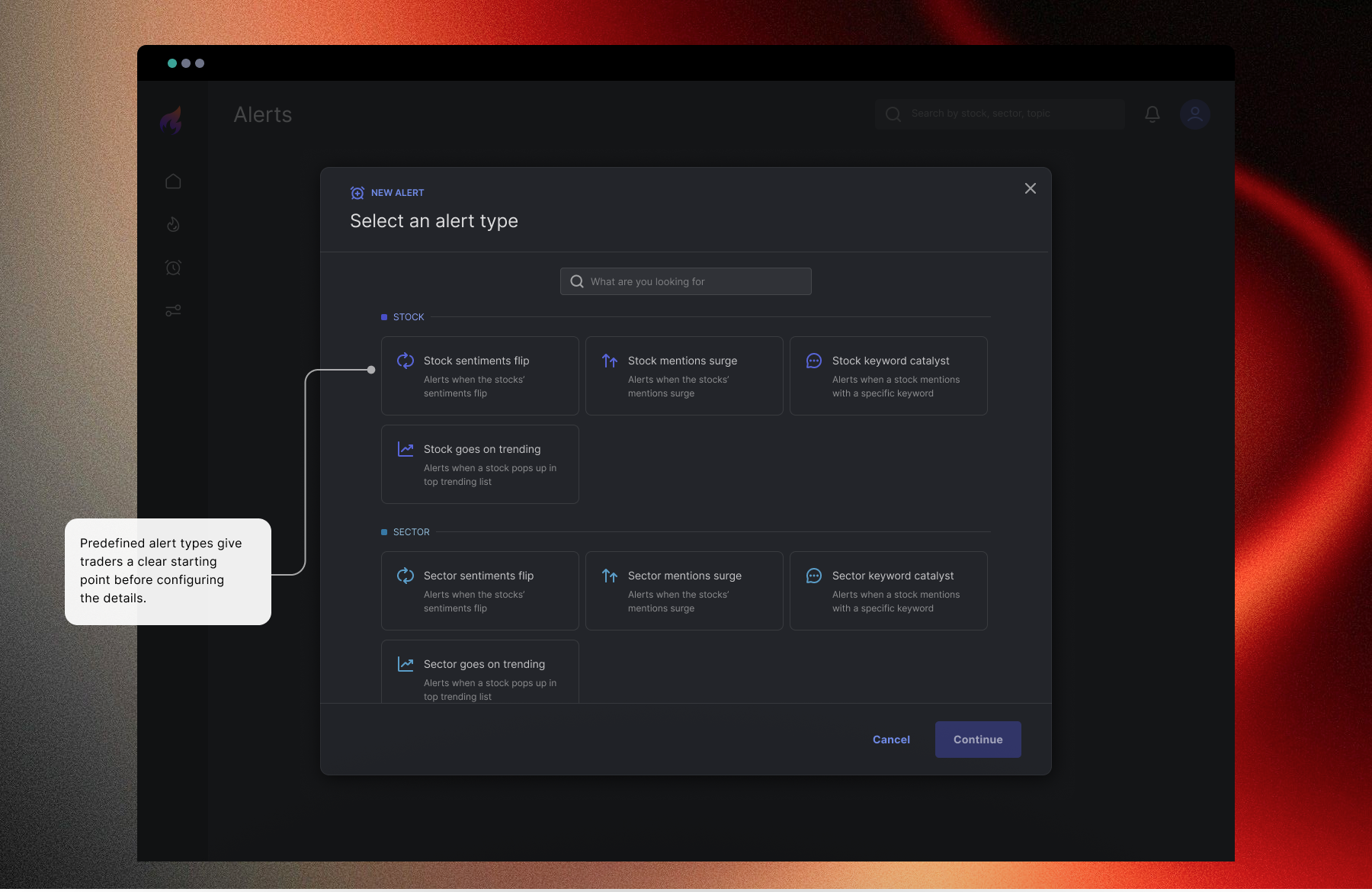
I restructured the experience around predefined alert types, such as changes in sentiment, spikes in mentions, and keyword activity. This gave users a clearer starting point for choosing what they wanted to monitor.
I also revised the navigation to make analytics and alerts more prominent.
Building the design system
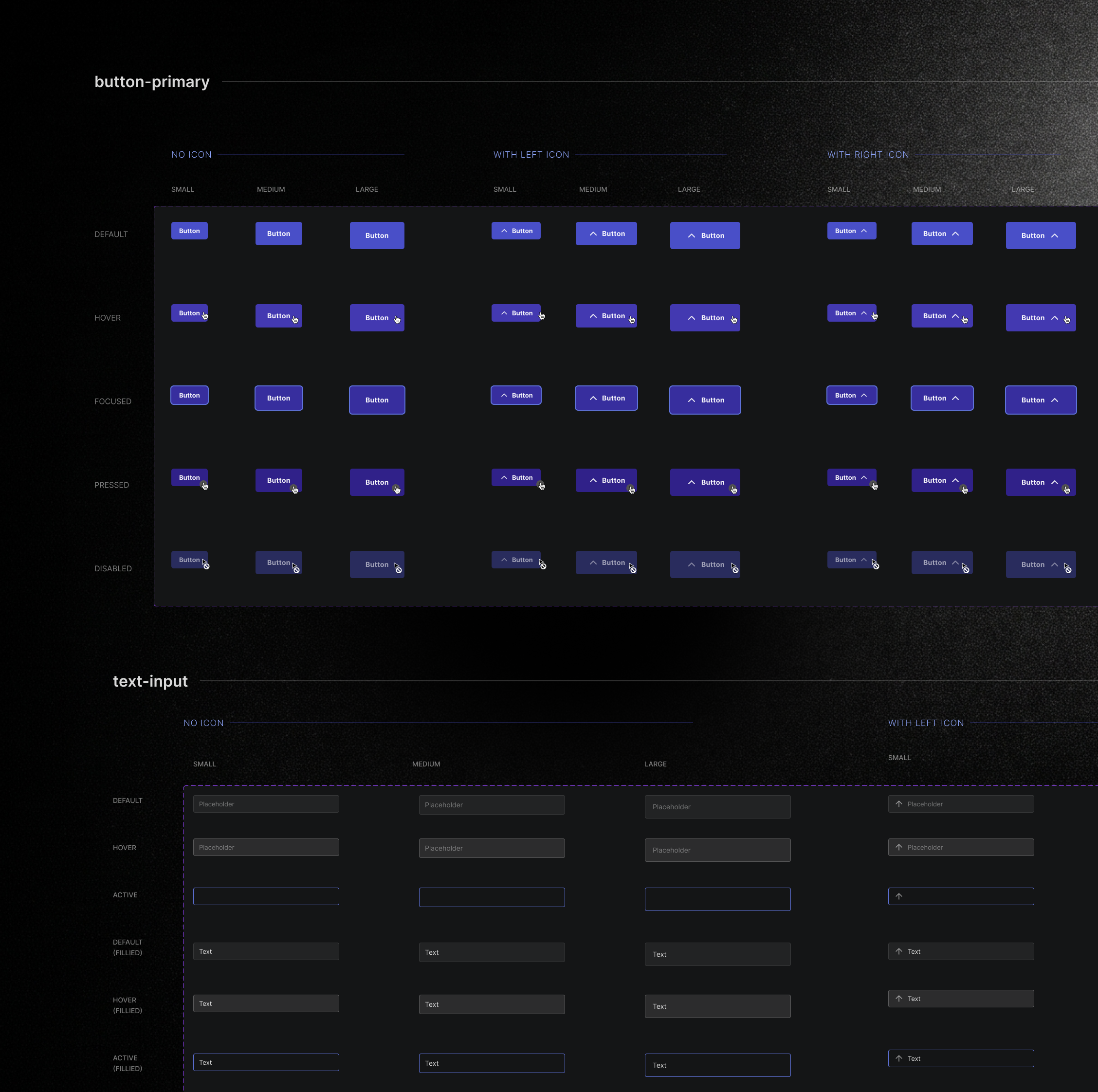
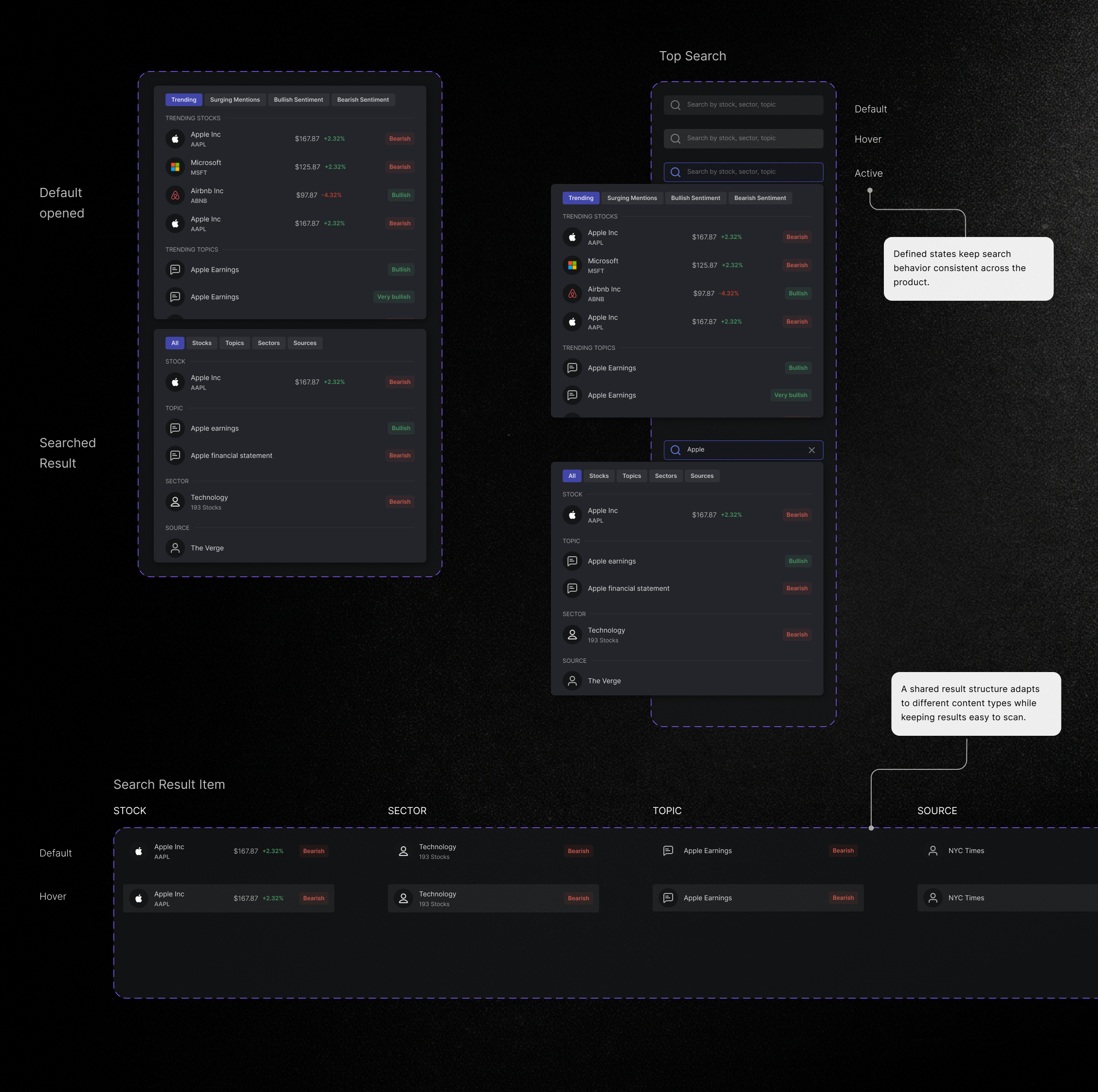
I built the design system solo, creating reusable components, variants, and interaction states for the product. The system covered shared interface elements and patterns for analytics, search, and alert management.
What the design enabled
The final design expanded the existing MVP to include stock discovery, company analysis, and alert management in one experience.
Alerts were designed to help traders follow relevant changes between visits. Bringing sentiment together with supporting information was intended to make those changes easier to investigate.
I don’t have measured results for these benefits. The next step would be to evaluate whether users can create a relevant alert successfully and whether the notifications remain useful over time.
Have a product challenge in mind?
Let’s talk about your product and where design can help.
BOOK A CALL
Product design for AI and complex B2B experiences.

